# Duplication of Applications

1. Open your Lender Hub and search for the application you want to duplicate

<figure><img src="https://2622734615-files.gitbook.io/~/files/v0/b/gitbook-x-prod.appspot.com/o/spaces%2F-MNeX8nmtEPnFygumL_k%2Fuploads%2FzIkgJxv2SkDvwMvEhqko%2Fimage.png?alt=media&#x26;token=0edc2230-74c3-4c84-ab2f-b8cccc54267c" alt=""><figcaption><p>Pipeline view of an application</p></figcaption></figure>

2. Click on the three dot menu icon. Click on the middle option, the one called "Start New Application"

<figure><img src="https://2622734615-files.gitbook.io/~/files/v0/b/gitbook-x-prod.appspot.com/o/spaces%2F-MNeX8nmtEPnFygumL_k%2Fuploads%2F8fNJmUJs2bd3vseMvPiV%2Fimage.png?alt=media&#x26;token=c8d89d65-bc83-41a4-8ee2-e7a95360f82e" alt=""><figcaption><p>Pipeline View - Open 3 Dot Menu</p></figcaption></figure>

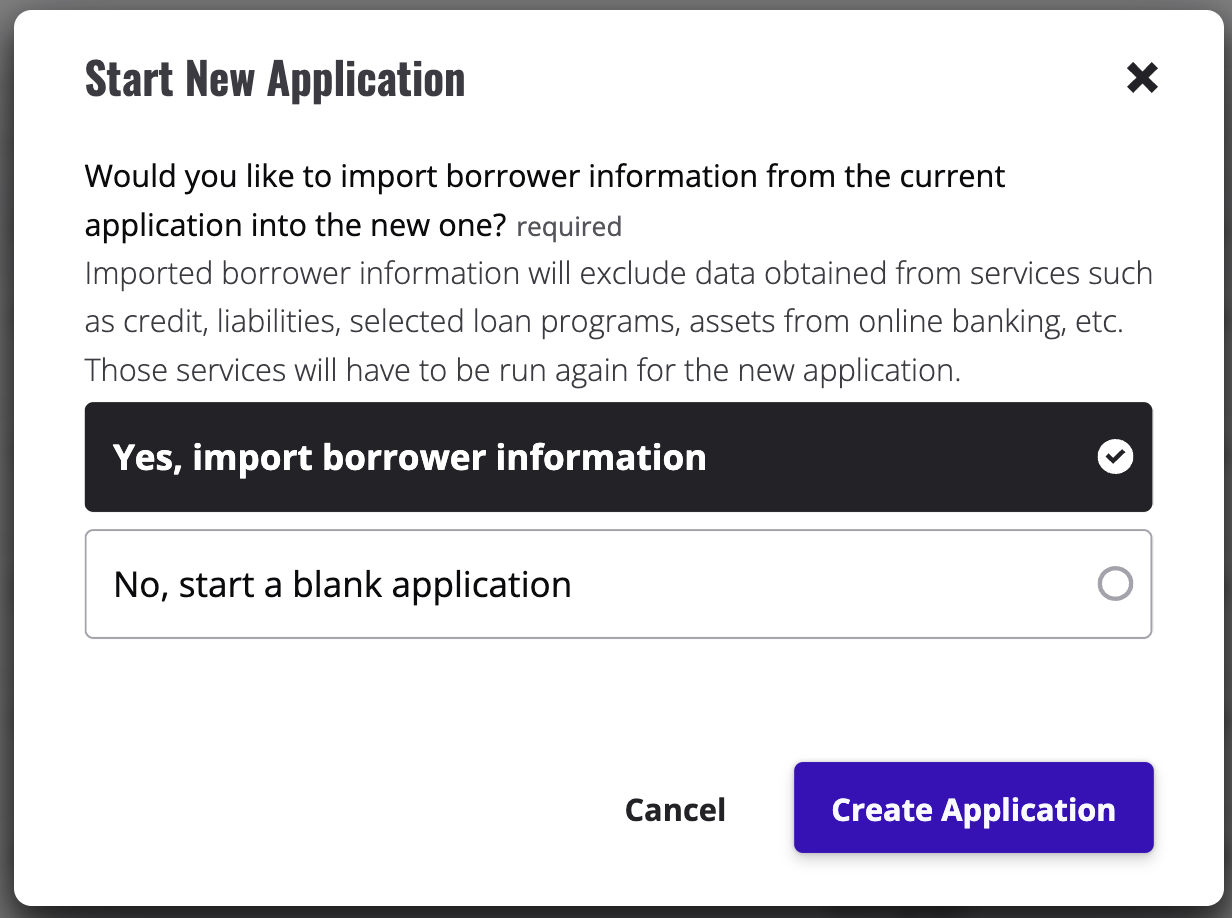
3. Read the content of the modal that opened up, select the option "Yes, import borrower information" and click on the button called "Create Application".

<figure><img src="https://2622734615-files.gitbook.io/~/files/v0/b/gitbook-x-prod.appspot.com/o/spaces%2F-MNeX8nmtEPnFygumL_k%2Fuploads%2FhzXE9YdNhOeLlVgyH2Ge%2Fimage.png?alt=media&#x26;token=8f65d54f-ee49-4815-a08d-e801d329ad78" alt=""><figcaption><p>Start New Application Choice</p></figcaption></figure>

4. Your duplicate application has been created.

<figure><img src="https://2622734615-files.gitbook.io/~/files/v0/b/gitbook-x-prod.appspot.com/o/spaces%2F-MNeX8nmtEPnFygumL_k%2Fuploads%2FyU5TWgqfHIlrDedmVnnG%2Fimage.png?alt=media&#x26;token=f8ad440a-339d-48ae-8327-a47330289ab1" alt=""><figcaption><p>Duplicated application and original application</p></figcaption></figure>

Note: Information that comes from integrations such as VOA, VOIE, Credit etc will not be duplicated to the second application. All Application dates will be different in the original and duplicate application as these are created at different times.&#x20;