# AI-Powered Document Validation
## AI-Powered Document Validation
Maxwell uses AI within the Point of Sale to automatically scan and review uploaded documents. These checks help identify issues that could slow down processing, reducing frustration for borrowers, lowering operational workload, and improving overall loan quality.
AI validation reviews documents for:
* **Legibility**: Whether the document is too blurry to read
* **Access**: Whether the document is password protected
* **Classification**: Whether the document type matches the task request
* **Completeness**: Whether all required pages are included
* **Splitting**: Whether the document should be separated by type or time period
### How AI Validation works
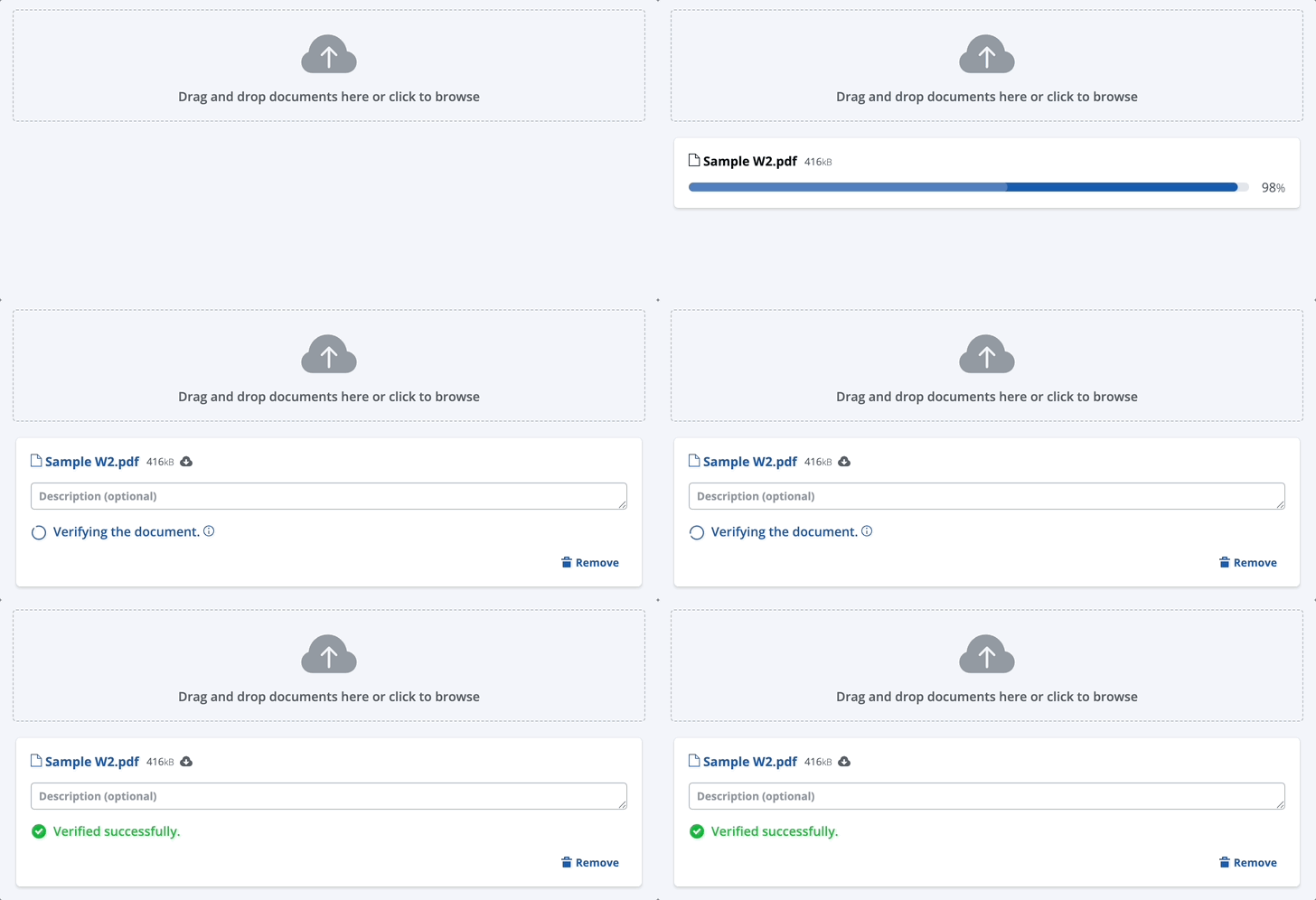
After a borrower uploads a document, Maxwell’s Document AI scans it against the checks listed above and identifies any issues that need attention.
Document Validation
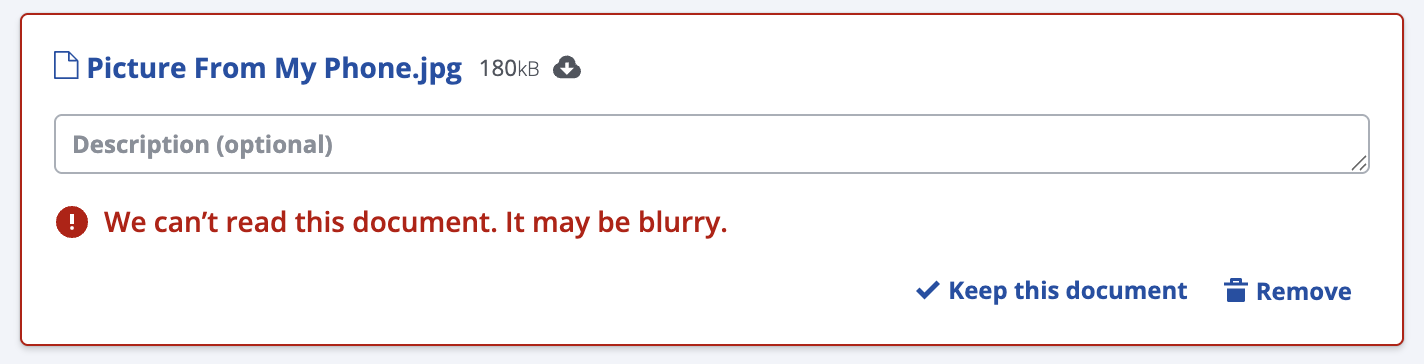
This feature helps catch situations where a borrower uploads a blurry image, which often occurs when documents are photographed with a phone. When a blurry image is detected, the user will receive the following message:
Blurry or Illegible Document Warning
Users always have the option to **“Keep this document,”** which overrides the validation. A key principle of our AI strategy is to guide users toward higher-quality documents without ever blocking them from progressing their loan.
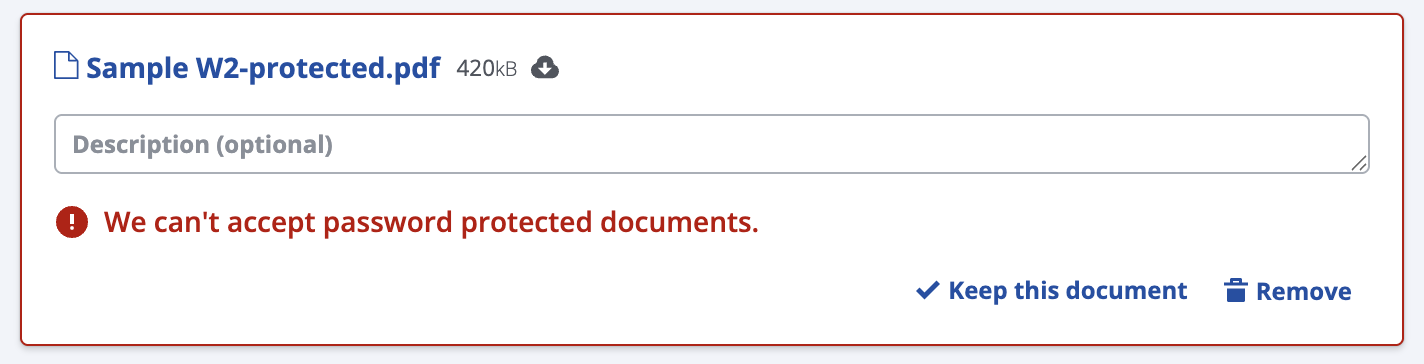
Another validation check included in this release identifies **password-protected files**. When a password-protected document is detected, the user will receive the following message:
Password Protected Document Warning
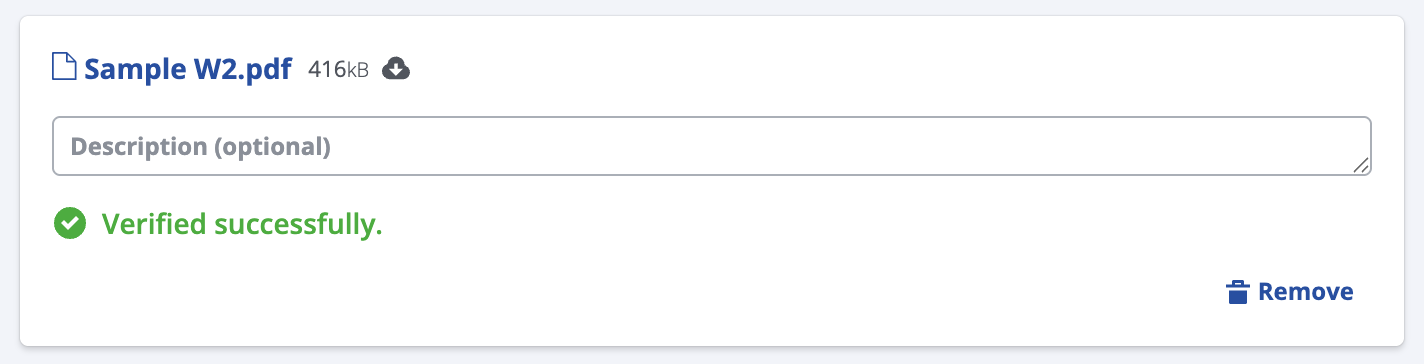
When a document passes validation, we will display a success message:
Success Message
### AI Architecture and Security
Maxwell’s AI capabilities in the Point of Sale are built with a **security-first** approach. All AI processing occurs entirely within Maxwell’s secure cloud infrastructure, ensuring that no borrower or customer data ever leaves the platform. Maxwell does not share or distribute data externally for training or model development.
### What’s Coming Next?
Our near-term AI roadmap focuses on two major areas: **Document Validation** and **Automated Task Creation**.
**Document Validation: Targeting Q4 2025**
* Document Classification Checks ( ☑️ currently in progress)
**Targeting Q1 2026**
* Multi-Document Checks and Automated Splitting ( ☑️ currently in progress)
* Document Completeness Checks ( ☑️ currently in progress)
* Task Completeness Checks (Multiple Documents)
* LOS Document Classification